

Encourage participation
Bring people into the lesson or discussion through touch, writing and shared activities.
Bring lessons to life. Give ideas room to grow.
The best lessons and meetings invite people to take part. Interactive whiteboards bring presentations, digital content and handwritten ideas together on a touchscreen, helping teachers explain, students explore and teams work through ideas together.

More than a screen
Mercia AV helps you choose interactive displays around the people using them. From classroom touchscreens from preferred brands such as Allsee, ViewSonic, iiyama and Avocor to Neat boards with native video conferencing, the starting point is what you want to achieve, not simply the screen size.
Whether you are replacing an ageing classroom board, creating a collaborative meeting space or bringing remote colleagues into the conversation, we'll help identify the right balance of touch, connectivity, software and room integration.
The basics
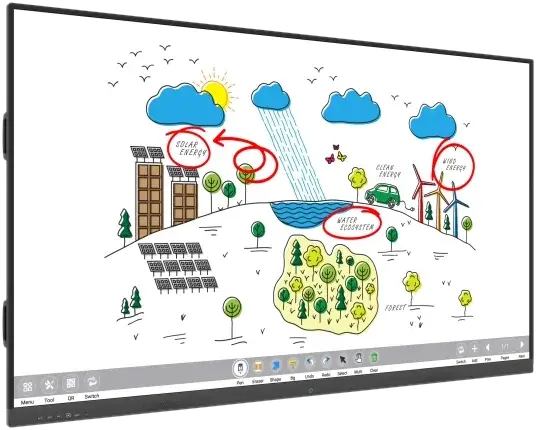
Think of it as a large touchscreen you can present on, write on and use together.
Modern interactive flat panel displays combine a screen with touch control, so you can develop ideas without a separate projector. Depending on the model and software, you can open a digital whiteboard, annotate content, share a device screen and save your work.
A native video conferencing board goes further, combining the touchscreen with cameras, microphones, speakers and a meeting platform in one device.
Classrooms
Make the front of the classroom a place for participation, not just presentation. Interactive displays give teachers space to explain a calculation, annotate a diagram or build a shared activity, while inviting students to contribute directly.
The right choice should fit your existing lesson resources, with screen visibility, writing height, accessibility and straightforward sign-in considered from the outset.

Meeting rooms
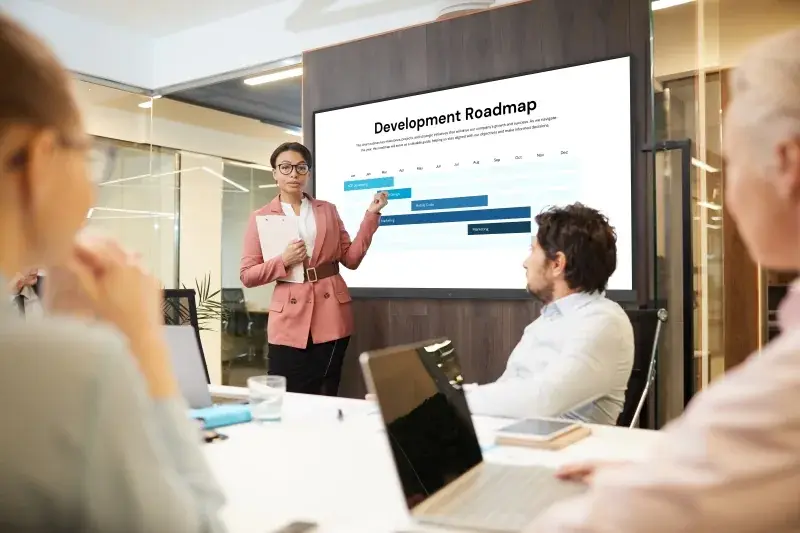
Move beyond presenting slides. Use an interactive meeting room display to map a process, review a drawing, capture workshop ideas or work through a proposal together.
For laptop-led spaces, we can help assess screen sharing, touch-back compatibility and the connections needed for your devices. If hybrid meetings are part of the brief, the camera, microphones, speakers and conferencing system need to be designed alongside the display, not treated as an afterthought.
Neat boards
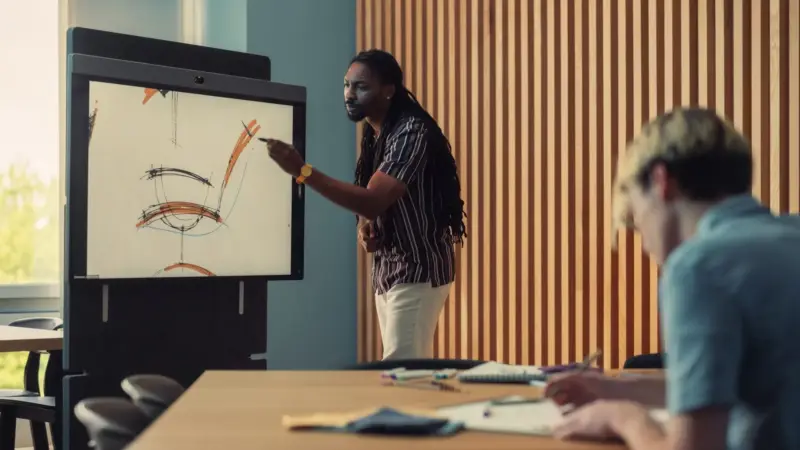
Want a board built for video meetings as well as face-to-face collaboration? Neat Board 50 and Neat Board Pro combine an interactive touchscreen with integrated cameras, microphones and speakers. Configured for native Microsoft Teams Rooms or Zoom Rooms, they bring meetings and digital whiteboarding into a single room device, rather than relying on a presenter’s laptop to host every call.
Neat Board 50 offers a 50-inch collaborative canvas, while Neat Board Pro provides an option for larger meeting spaces. Active Marker support makes writing and sketching a natural part of the session. Available whiteboarding, sharing and guest-meeting features depend on the selected platform, software and licences; native configuration does not mean unrestricted switching between platforms.
Why it works
Start with the room, not the specification. Tell us who will use the board, what they need to share and whether remote participation matters. We'll help you consider screen size, mounting, reach, room acoustics, network requirements and software licensing, so your shortlist reflects everyday use.
Bring people into the lesson or discussion through touch, writing and shared activities.
Explain concepts, sketch alternatives and develop a shared understanding on screen.
Save and share whiteboard content where supported by your chosen software.
Choose a conferencing board when video meetings are central to the space.
Match the interface, connections and software to the way people already work.
FAQs
The terms are often used interchangeably. Today, an interactive whiteboard commonly means a touchscreen flat panel with digital whiteboarding tools, rather than a projector-based board.
It depends on your teaching software, lesson resources, room size and budget. Compare writing experience, visibility, device compatibility and management requirements, not just the panel specification.
Many displays support laptop connections, but picture, touch control, charging and wireless sharing vary. We'll check the selected board against your devices, operating systems and required workflow.
Neat boards combine touch collaboration with integrated video and audio, and can run a supported room conferencing platform natively. A standard interactive display may need separate conferencing equipment or a connected computer.
Neat Board 50 and Neat Board Pro offer native Microsoft Teams Rooms or Zoom Rooms configurations. The chosen platform, room licences and current software determine the available meeting and collaboration features.
A wall mount suits a dedicated teaching or meeting position. A compatible mobile or height-adjustable stand can offer flexibility, but floor space, stability, power, network access and safe movement all need consideration.
Planning a classroom upgrade, a more collaborative meeting room or a Neat video conferencing space? Talk to Mercia AV about your users, your room and your goals.
Contact us today to arrange an initial consultation.