



Displays, touchscreens and projection
Built around your space, your content and your audience.
Mercia AV brings commercial displays, interactive touchscreens and projection solutions together around your space, your content and your audience. Whether you need to share presentations, support learning, promote your services or create a bigger visual experience, we help you find a practical starting point.
For offices, classrooms, shops, hospitality venues and shared spaces, the aim is the same: an image people can see clearly, technology they can use confidently and a solution that fits its surroundings.

Our approach
The right display starts with the way you use it.
Think about who needs to see the screen, where they will stand or sit, and what you want to show.
Detailed spreadsheets need a different approach from a digital menu or a promotional video. Daylight, reflections, viewing angles and daily running hours all influence the choice. We start with these everyday requirements, then consider the screen, projector, mounting and connections needed to make everything work together.
Screen sizes
From compact screens to large-format displays.
Smaller displays can put useful information exactly where it is needed, from reception updates to customer-facing information points. Move into a meeting room, training space or showroom and a larger commercial screen gives presentations, video and shared content more room to breathe.
The best screen size is not automatically the biggest available: it is the one that keeps your content readable from the furthest intended viewing position without overwhelming the room.


Orientation
Landscape, portrait and ultra-wide: a shape for your content.
A familiar landscape screen suits presentations and video, while a portrait display can complement a digital poster, menu or wayfinding layout. Ultra-wide formats offer a different canvas for panoramic content or wider meeting layouts. Where the brief calls for a larger visual feature, a video wall may be worth exploring.
Orientation, content resolution and mounting must suit the selected equipment; not every screen supports every arrangement. Start with the message and the available space, rather than forcing content into the wrong shape.
Projection
Projection solutions when your picture needs more space.
For halls, larger training rooms and presentation spaces, projection offers an alternative to a fixed flat-panel display.
A carefully specified projector and projection screen can create a large image suited to a wider audience. Short-throw options may help where installation distance is limited, while other lens arrangements suit deeper rooms.
Image size, ambient light, screen surface, projector position and maintenance access all matter. We consider the complete setup rather than choosing on brightness alone, including how the picture will work alongside room lighting and audio.
Environments
Different environments. The same focus on usability.
In offices, clear content and straightforward connections help meetings get moving. In education, visibility and accessible interaction support teaching. Retail and reception displays need to make information easy to notice, while bars, restaurants and hotels need screens that complement the customer experience. Bright windows, long operating schedules or outdoor exposure introduce additional requirements and may call for specialist equipment. From wall-mounted screens to mobile stands and ceiling-mounted projectors, installation should account for sightlines, cable routes, structural suitability and servicing.
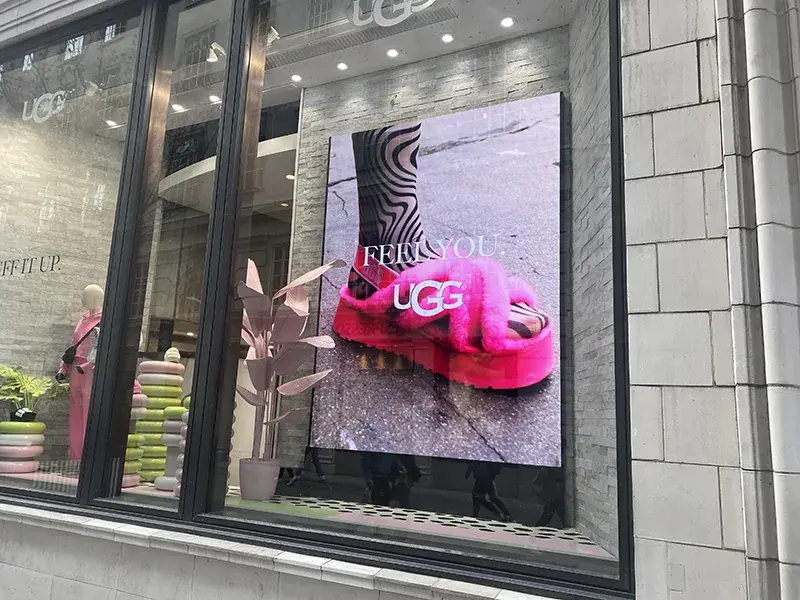
Shop windows
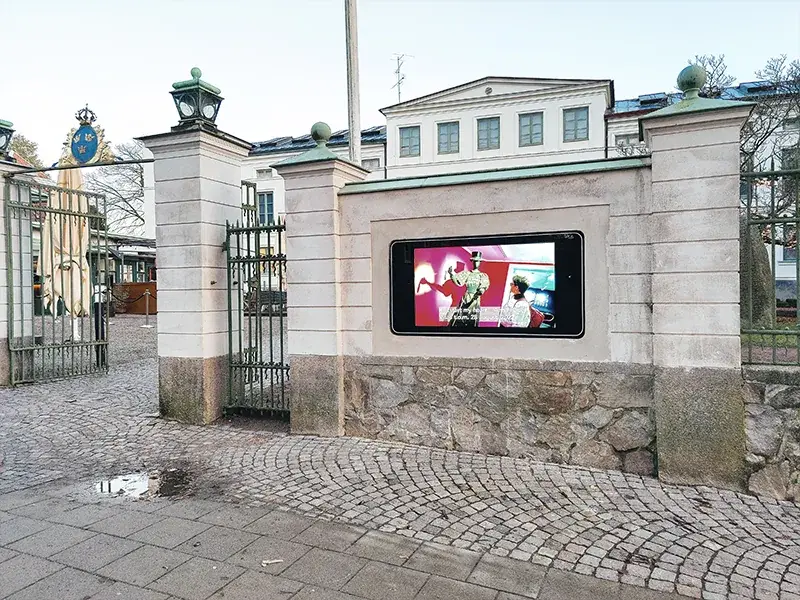
Outdoors
FAQs
Frequently asked questions
What size display do I need for a meeting room?
It depends on viewing distance, seating layout and content. Small text and detailed drawings need particular care. Assess readability from the furthest seat, not just how the screen looks on the wall.
Should I choose a commercial display or a projector?
A display may suit an everyday meeting room or signage point, while projection can suit larger images and audiences. Available light, installation space, content and budget determine which approach makes sense.
Can a commercial screen be installed in portrait orientation?
Some models support portrait and landscape installation, but this must be confirmed in the manufacturer's specification. Mounting, ventilation and the content layout also need to suit the chosen orientation.
Should I choose a commercial display or a residential TV?
Choose according to how and where the screen will be used. For a business installation, check the specified operating hours, brightness, supported orientation, connectivity and warranty coverage. A residential TV may suit occasional viewing, but confirm that its warranty covers business use. Match the individual model to your requirements rather than choosing on screen size or price alone.
Can I use the same display indoors, in a window or outdoors?
Do not assume so. Direct sunlight, temperature, moisture and glare create different demands. Choose equipment specifically rated for the installation environment and check brightness, operating limits and protection requirements.
When should I use a direct-view LED (dvLED) display?
Consider dvLED when you need a large, seamless image without the dividing bezels of a tiled LCD video wall, particularly in reception areas, showrooms and larger presentation spaces. It can also suit brighter environments when correctly specified. Match pixel pitch to viewing distance and content detail, and assess installation, servicing and budget before choosing it over a commercial display or projector.
Not sure which display is right for your space?
Tell us about the room, the content and the people who need to see it.
Contact us today to arrange an initial consultation.